SYSTEM READY

See it. Edit it.
Stay in flow.

Try it

Built for speed on Linux, macOS, and Windows. See images at a glance, edit text in place, and move through files in a fast dual-pane workspace with instant bookmarks.

POWERED BY RUST PROGRAMMING LANGUAGE
Download IRA ↓ View on GitHub ↗

Image, video, and text previews, themes, and dual-pane transfers are included in IRA v0.1.21.

  • 100%keyboard driven
  • 2focused panes
  • 4preview modes
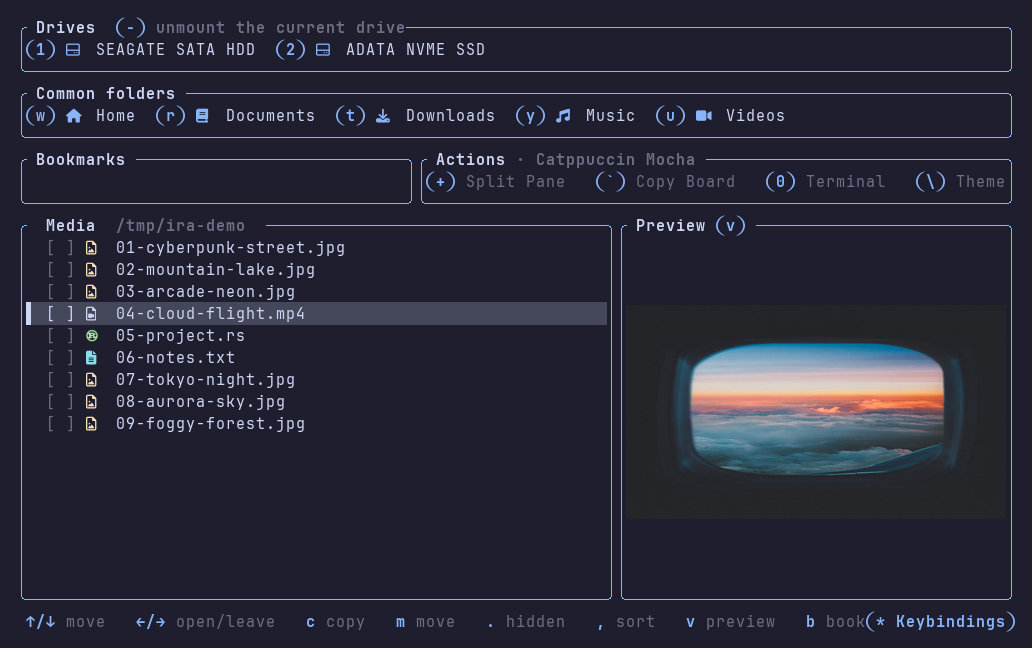
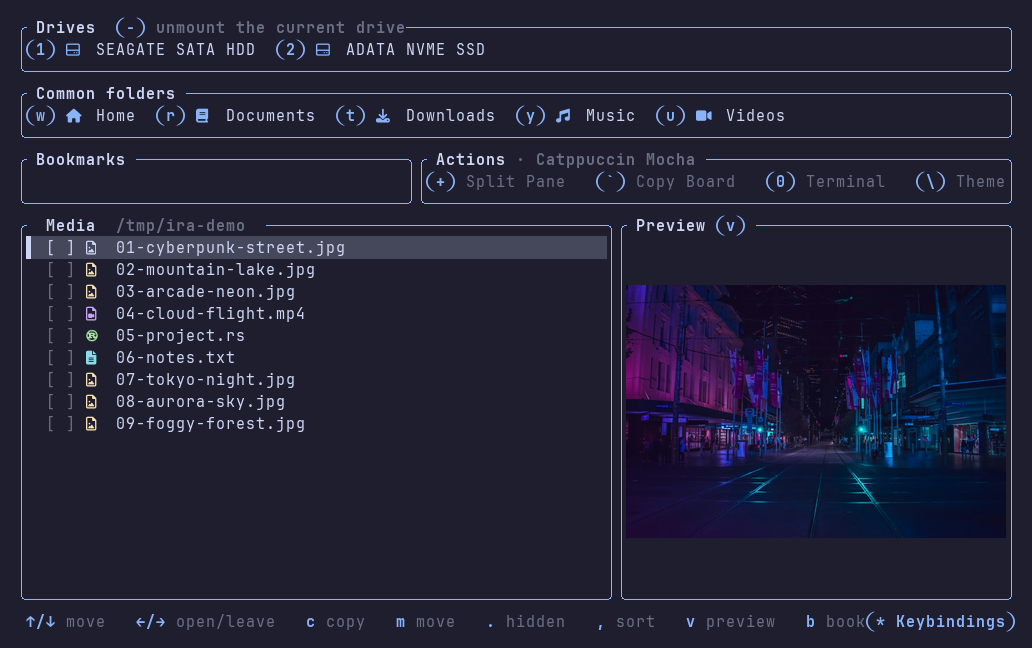
RUNNING IRA / MAINV · IMAGE PREVIEW
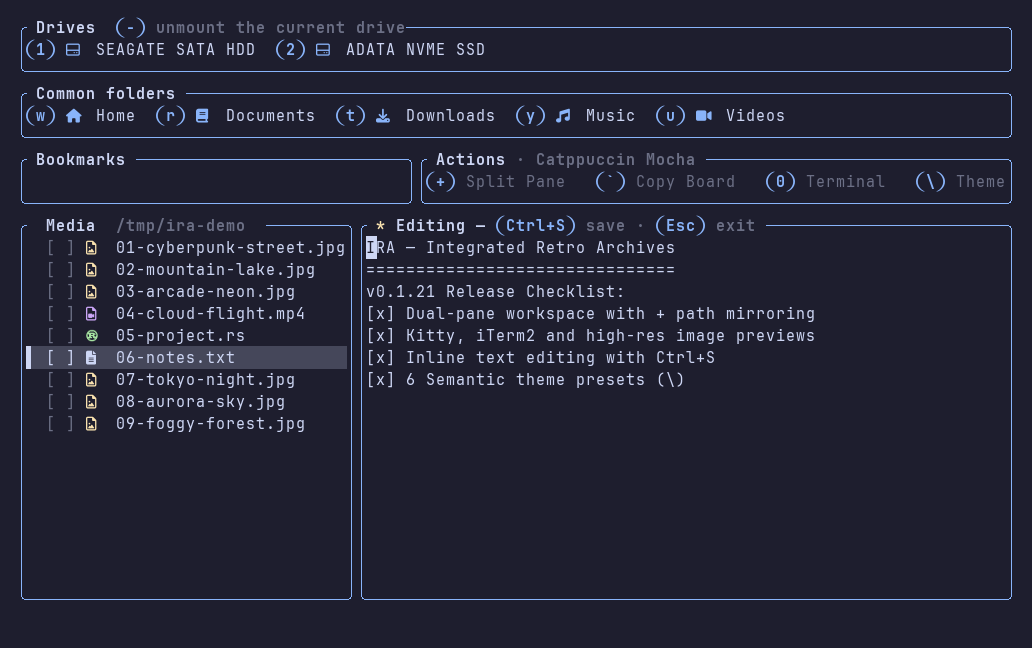
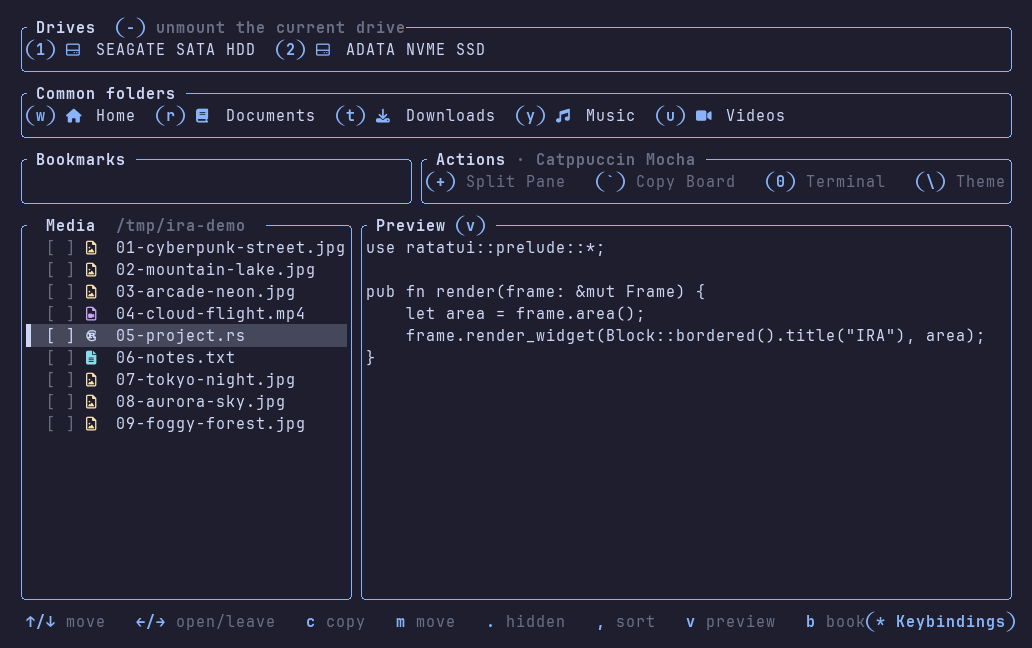
IRA showing an image preview beside the file listing
Real terminal capture with sample files. Select the image to view full size.
NO MOUSE REQUIRED✦ MEDIA PREVIEWS✦ INLINE TEXT EDITING✦ SIX BUILT-IN THEMES✦ NO MOUSE REQUIRED✦ MEDIA PREVIEWS✦ INLINE TEXT EDITING✦ SIX BUILT-IN THEMES✦

01 / VISUAL WORKSPACE

Know what’s inside.
Before you open it.

Find the right image, check a video frame, read a brief, or make a quick edit. Your files and their contents share one keyboard-driven workspace.

02 / CORE SYSTEM

Everything between you
and your files, removed.

The complete file-management workflow: navigate, find, select, transfer, inspect, and edit without leaving the keyboard.

01

Dual-pane workspace

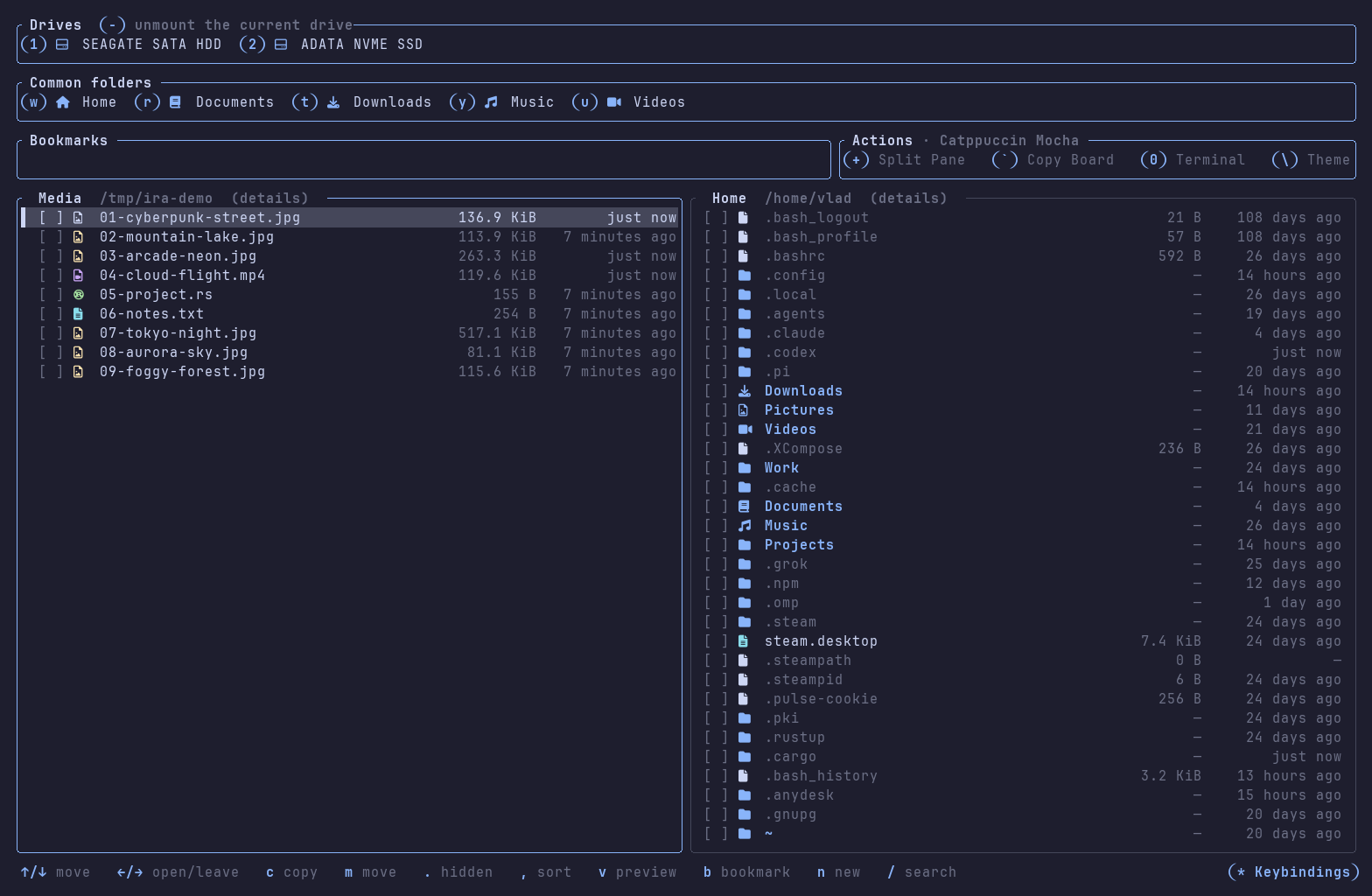
Browse two folders independently and move files between them while both locations remain visible. Press + to split (automatically mirroring the active pane's path) or unsplit, and Tab to cycle between both panes and the Copy Board.

+TabSPLIT / SWITCH FOCUS
02

Background transfers

Copies and moves run on background threads without stealing keyboard focus. Keep navigating the files pane while transfers run; live destination refresh pauses while scrolling so your cursor is never disturbed.

  • Live job progress on Copy Board
  • Non-blocking focus & cursor lock
  • Pause, resume & cancel with cleanup
  • Auto-rename, overwrite or skip
  • Symlink preservation on Linux and macOS
03

Sticky fuzzy search

Press / and the current listing narrows live with case-insensitive subsequence matching. Confirm with Enter to keep the filter active while you navigate and operate; Esc restores the full list.

04

Multi-select and batch actions

Select individual entries, everything in view, or invert the current selection. Copy, move, delete, rename, and navigate directly from filtered results.

SpaceCtrl+AAlt+I
05

Live drive discovery & OS reveal

Mounted and unmounted storage is re-scanned continuously. Open drives with 1–9, auto-mount with udisks2 when needed, and eject removable media with Ctrl+-. Press - to reveal the selection in your desktop file manager.

lsblk / udisks2/VolumesC:\Ctrl+- Eject- Reveal
06

Instant navigation

Jump to Home, Desktop, Documents, Downloads, Music, Videos, or Public with one key (W–I). Bookmarks start empty; press B to add a folder and IRA assigns a persistent letter shortcut. ← steps back directly onto the folder you came from.

07

Six semantic themes & 3 icon sets

Cycle live with \ across Catppuccin Mocha, Cyberpunk 2077, Gruvbox Dark, Nord, Dracula, and Tokyo Night. Auto-detects Nerd Font glyphs, 2-cell color emoji (📁 🦀 🐍 🎬 📦), or single-width Unicode. Configurable in ~/.config/ira/theme.toml.

MochaCyberpunkGruvboxNordDraculaTokyo Night
08

Background folder sizes

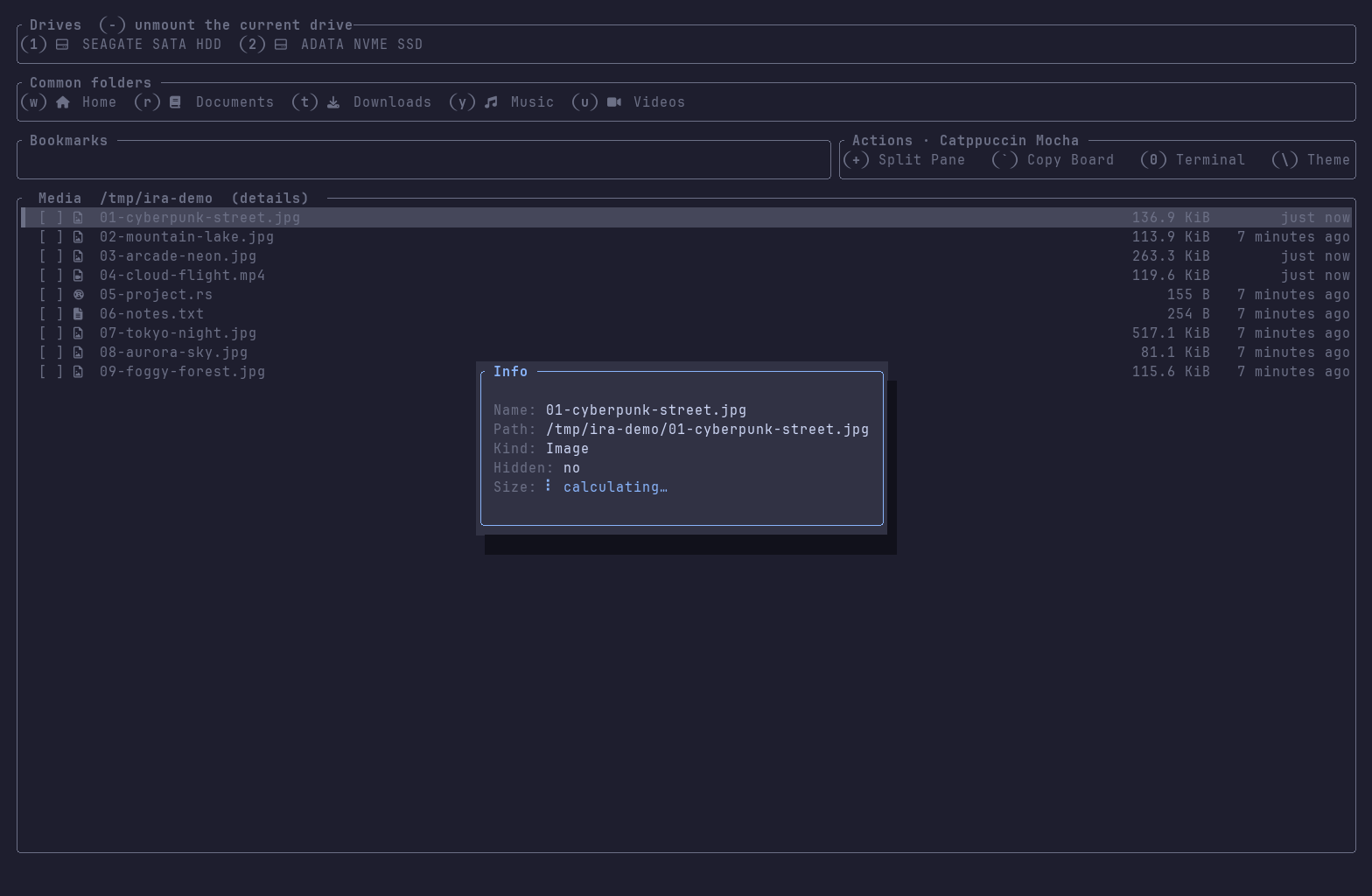
Measure one folder or an entire selection with ? without blocking the UI. Live totals include files, folders, data size, and on-disk size; completed measurements are cached and restored after restart.

FOLDERSFILESDATA SIZEON DISK
09

Create and go anywhere

Create files or folders with N, including missing parent directories. Use [ to type or paste a path, expand ~, navigate there, or create the missing chain. Use ] to copy the path.

10

Comfort at speed

Open a native terminal in place with 0, open the interactive keybindings dialog with *, cycle sort order with ,, toggle dotfiles with ., and accelerate through long lists.

11

Pick up where you left off

IRA restores the layout, active pane, both folders, each pane’s preview mode, hidden-file preference, bookmarks, theme choice, and folder-size cache. Pick up your browsing workflow seamlessly after a restart.

LAYOUTPANESTHEMESETTINGSCACHE

03 / ACTUAL INTERFACE

The terminal is
the interface.

Every pixel rendered in truecolor with full Unicode and Nerd Font support, responsive layouts, and modal glass dialogs.

04 / DOWNLOAD

Choose your
system.

IRA v0.1.21 · Prebuilt binaries and packages from the official GitHub release.

View all v0.1.21 assets & checksums on GitHub

05 / COMPLETE KEY MAP

Think it. Key it. Done.

ACTIONKEYRESULT
Move selection↑ ↓Move up or down through entries
Back / Open← →Go back (lands on folder descended from), enter folder, or open file
Common foldersW E R T Y U IHome · Desktop · Documents · Downloads · Music · Videos · Public
Bookmark folderBAdd or remove bookmark; single-letter shortcuts are assigned and persisted
Fuzzy search/ Enter EscSearch current folder, confirm sticky filter, or restore full listing
Drives1 … 9Open the numbered drive and mount it when needed (udisks2)
Eject driveCtrl+-Unmount the removable drive in the active pane
Reveal in OS-Reveal current selection in desktop file manager (Finder, File Explorer, or Linux file manager)
Select entriesSpace Ctrl+A Alt+IToggle selection, select/clear all, or invert selection
Copy / MoveC MCopy or move selected items to the other pane without stealing focus
DeleteDelDelete selection recursively after confirmation (Backspace on macOS)
Top / BottomZ X Alt+↑ Alt+↓Jump to the first or last entry in the listing
Split pane+Show or hide the second file pane (mirrors active pane's path)
Copy Board`Show transfer jobs, live progress, and throughput
Transfer controlSpace P XPause, resume, or cancel focused job (cleans up partial files)
Properties & sizes?Inspect metadata; measure single folder or multi-selection in background
CreateNCreate file or folder (missing parent directories created automatically)
Go to path[Open, paste, or type path; expands ~ and creates missing chain
Copy folder path]Copy active pane’s folder path to the clipboard
RenameEnterRename selected file or folder in place (collision-protected)
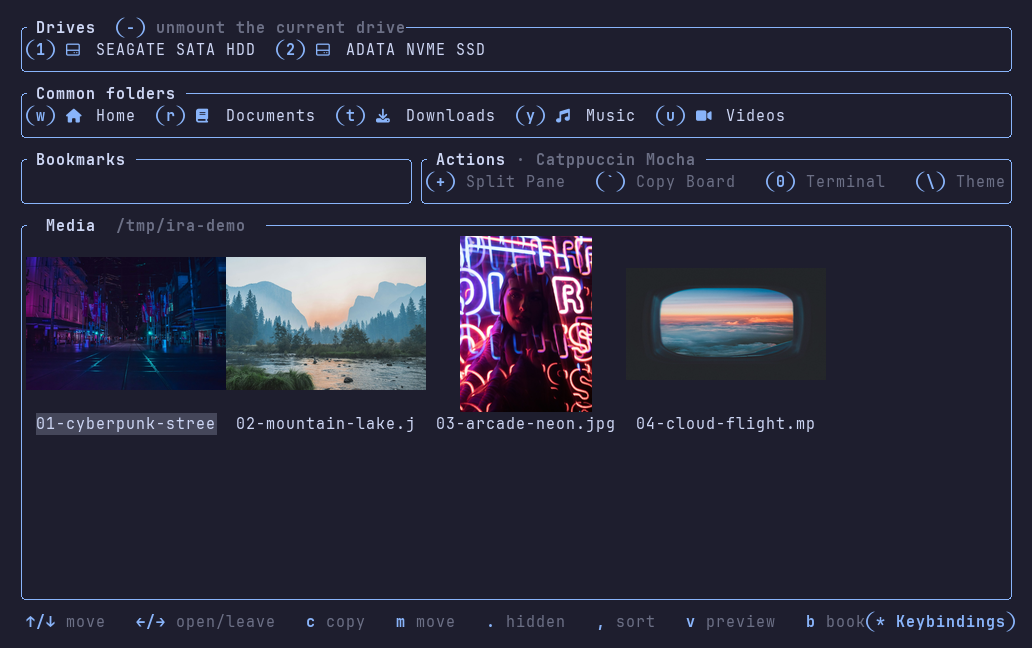
Preview modeVCycle active pane: details → column → grid → off (details is default; remembered per pane)
Switch focus / EditTabFocus text preview editor, or cycle between panes and Copy Board
Save textCtrl+SSave edits atomically while focused in editor; plain letters type normally
Leave editorEsc TabLeave editing and discard unsaved changes
Switch theme\Cycle 6 presets: Mocha → Cyberpunk 2077 → Gruvbox Dark → Nord → Dracula → Tokyo Night
Keybindings help*Open interactive keybindings reference dialog modal (any key closes)
Native terminal0Launch your terminal emulator in the active folder
Hidden files.Toggle dot-file visibility and remember the setting
Sort listing,Cycle active pane sort: Name → Size → Modified → Kind
INTEGRATED RETRO ARCHIVES

File management,
without friction.

Download IRA ↓